Tutorial : Play ZFS take snapshot and restore to files/folder
2025-11-04
Step 1: Install and create the drive
sudo apt install zfsutils-linux
sudo dd if=/dev/zero of=zfsfile.img bs=1 count=0 seek=10G
Step 2: Create pool and view it
sudo zpool create tank /home/peter/zfsfile.img  # have to use full path
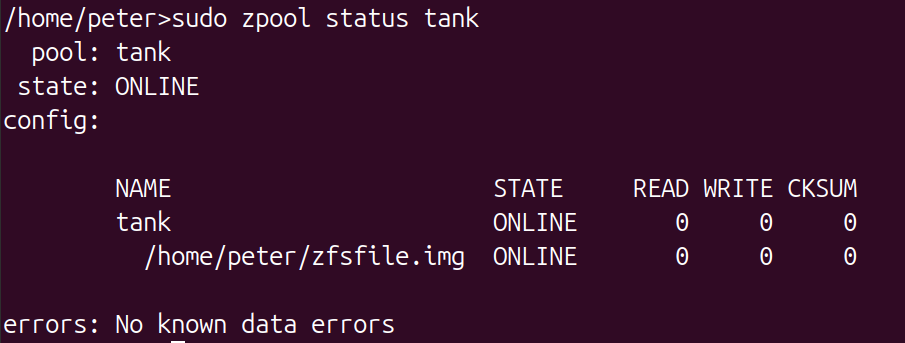
sudo zpool status tank
sudo zfs list

Step 3: Optional, use a custom mount point
sudo zfs set mountpoint=/mnt/myzfs tank
sudo zfs mount tank
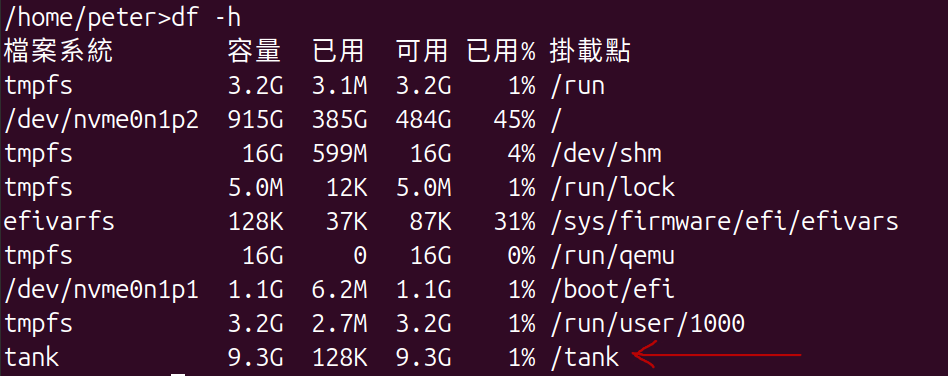
df -h
Step 4: Create file for test
sudo zfs create tank/testdata  # Creates the dataset 'tank/testdata', auto-mounted at /tank/testdata
cd /tank/testdata  # Or /mnt/myzfs/testdata if custom mount
echo "This is file1 content" | sudo tee testfile1  # No need for full
echo "This is file1 content" | sudo tee /tank/testdata/testfile1
echo "This is file2 content" | sudo tee /tank/testdata/testfile2
ls /tank/testdata
Step 5: Take snapshot of folder
sudo zfs snapshot tank/testdata@test_snapshot
sudo zfs list -t snapshot  # Verify the snapshot exists

Step 6: Export Snapshot to File
sudo zfs send tank/testdata@test_snapshot > /tmp/test_snapshot.zfs
ls -lh /tmp/test_snapshot.zfs  # Check the backup file
Step 7: Simulate Changes to Test Restore
cd /tank/testdata
sudo rm testfile1  # Delete a file
echo "Modified file2" | sudo tee testfile2  # Change content
echo "New file3 content" | sudo tee testfile3  # Add new file
ls  # Verify changes: testfile2 testfile3
Step 8: Restore folder from snapshot file
sudo zfs destroy tank/testdata@test_snapshot
sudo zfs receive -F tank/testdata < /tmp/test_snapshot.zfs
ls testdata